Introduction
Businesses today need to respond quickly, follow up consistently, and keep customers engaged throughout the buying journey. However, handling every WhatsApp conversation manually can consume valuable time. That is where WhatsApp API automation becomes useful.
With the WhatsApp Business API, businesses can create automated workflows for lead generation, customer support, order updates, reminders, feedback, and sales follow-ups. As a result, teams can reduce repetitive work while creating a faster and more consistent customer experience.
This guide from Trending Bulb explains 10 WhatsApp API automation workflows that businesses can use to improve communication, nurture leads, and support growth. Along the way, we will also explore how Campaign Plus and Step4Growth can fit into a broader WhatsApp marketing and automation strategy.
What Is WhatsApp API Automation?
WhatsApp API automation uses the WhatsApp Business API to trigger messages and business actions based on customer activity, predefined rules, or specific events.
Instead of requiring an employee to send every message manually, an automated workflow can send the right message at the right stage of the customer journey.
For example, a customer may submit a lead form on a website. The workflow can then send a WhatsApp confirmation, collect additional details, notify a sales representative, and schedule a follow-up.
Therefore, the sales team can focus more on conversations that need human attention.
Unlike a basic WhatsApp Business account, API-based systems can support larger-scale communication, approved message templates, chatbots, integrations, CRM connections, and structured automation.
Moreover, businesses can connect WhatsApp workflows with sales, support, ecommerce, and marketing processes.
Why Should Businesses Use WhatsApp Automation?
Customers expect quick communication. At the same time, businesses need efficient processes that can work beyond regular office hours.
WhatsApp automation helps bridge this gap.
First, automated messages can handle repetitive interactions. Next, businesses can use customer information and triggers to personalize communication. Finally, human agents can step in when a conversation requires personal attention.
Here are some common benefits of WhatsApp API automation:
- Faster responses to customer enquiries
- Consistent lead follow-ups
- Automated appointment reminders
- Better order and delivery communication
- Faster customer support
- Improved lead nurturing
- More organized sales processes
- Automated customer feedback
- Timely promotional communication
- Better use of sales and support teams
However, the goal is not to automate every conversation.
Instead, businesses should automate repetitive steps while keeping human support available whenever it adds value.
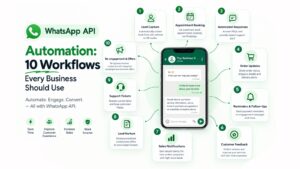
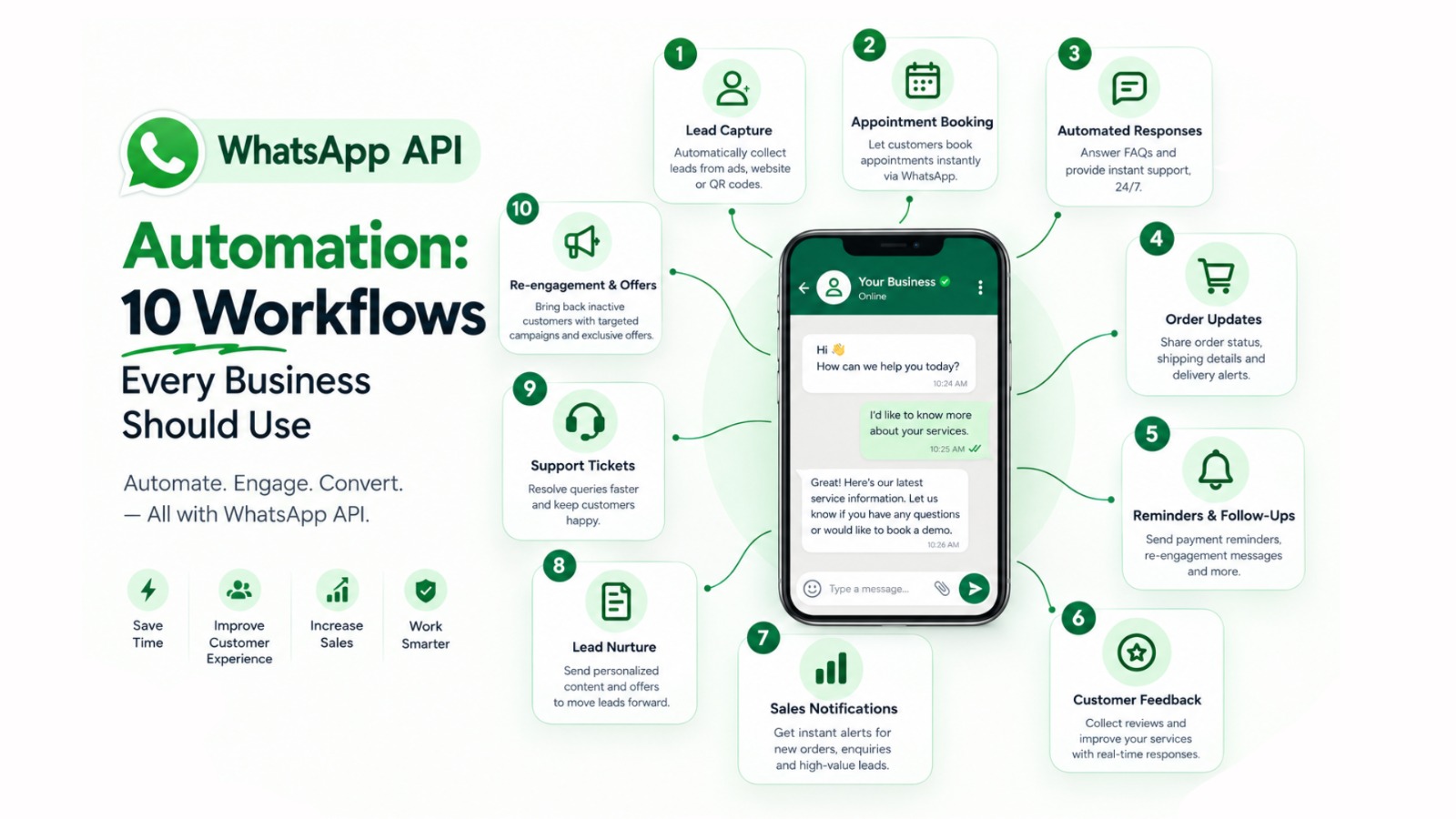
10 WhatsApp API Automation Workflows Every Business Should Use
1. Lead Capture and Instant Response Workflow
Lead response speed can influence how quickly a prospect moves through the sales process. Unfortunately, leads can become cold when a business takes too long to respond.
A WhatsApp lead capture workflow can solve this problem.
When someone submits a form, clicks an advertisement, scans a QR code, or starts a WhatsApp conversation, automation can immediately send a welcome message.
After that, the workflow can ask qualifying questions about product interest, location, service requirements, budget range, or preferred contact time.
A simple workflow can look like this:
New Lead → WhatsApp Welcome Message → Qualification Questions → CRM Update → Sales Notification → Follow-Up
This process reduces manual data collection. Moreover, it gives sales teams useful information before they start the conversation.
For businesses running Meta Ads, this workflow can be particularly useful when leads need a quick response after an advertisement interaction.
Campaign Plus can support WhatsApp automation and chatbot-based communication, helping businesses organize these interactions and create structured customer journeys.
2. Appointment Booking and Reminder Workflow
Appointment-based businesses can use WhatsApp automation to simplify scheduling.
Clinics, salons, consultants, education providers, service companies, and professional firms can send booking confirmations automatically.
After that, reminder messages can help reduce missed appointments.
A typical appointment workflow can include:
- Booking confirmation
- Appointment details
- Reminder one day before
- Reminder a few hours before
- Rescheduling option
- Post-appointment follow-up
For instance, a dental clinic can send a confirmation immediately after a patient books an appointment.
Later, the system can send a reminder and provide an option to request a different time.
Consequently, staff spend less time sending routine appointment messages. Meanwhile, customers receive important information without needing to contact the business again.
3. Automated Customer Support Workflow
Customers often ask the same questions repeatedly.
These questions may involve pricing, business hours, delivery information, product availability, service details, return policies, or basic troubleshooting.
A WhatsApp chatbot can handle many frequently asked questions automatically.
If the customer needs additional assistance, the workflow can transfer the conversation to a human agent.
The process may look like this:
Customer Question → Automated Response → Relevant Information → Next Action → Human Handover
This approach helps businesses provide faster support without completely removing human interaction.
Furthermore, customers can get answers even when the support team is unavailable.
Campaign Plus can help businesses use WhatsApp automation and chatbot workflows for these repetitive customer interactions.
At the same time, businesses can combine automated support with a clear escalation process so that complex issues reach the right team member.
4. Order Confirmation and Status Update Workflow
Ecommerce customers want to know what happens after they place an order.
Therefore, order-related WhatsApp messages can become an important part of the customer experience.
Businesses can automate messages such as:
- Order confirmation
- Payment confirmation
- Order processing update
- Shipping notification
- Delivery update
- Delivery confirmation
For example, after an online purchase, the customer can receive an automated WhatsApp message containing the order reference and expected delivery information.
As the order moves through different stages, the system can trigger additional updates.
This reduces uncertainty and can also lower the number of repetitive “Where is my order?” enquiries.
Additionally, timely order communication can make the post-purchase experience feel more organized.
5. Reminder and Follow-Up Workflow
Follow-ups are essential for sales, payments, appointments, enquiries, and customer retention.
Yet manual follow-up often becomes inconsistent when teams manage a large number of customers.
WhatsApp API automation can create scheduled reminders based on customer activity.
For example, a sales workflow could send a message after an enquiry, followed by another message if the prospect does not respond.
Similarly, businesses can automate payment reminders, renewal reminders, service notifications, and appointment follow-ups.
A basic lead follow-up sequence could look like this:
Day 0 → Enquiry Confirmation
Day 1 → Helpful Product Information
Day 3 → Follow-Up Message
Day 7 → Final Reminder or Human Follow-Up
Of course, the exact timing should depend on the business, customer journey, and purpose of the message.
Most importantly, businesses should avoid excessive communication. Useful automation should make the customer journey easier rather than overwhelming customers.
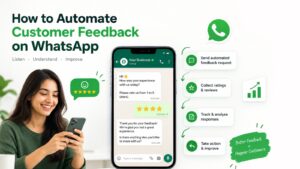
6. Customer Feedback and Review Workflow
Customer feedback can reveal what is working and where a business needs improvement.
However, collecting feedback manually can become difficult as the customer base grows.
A WhatsApp feedback workflow can automatically ask customers about their experience after a purchase, appointment, delivery, or support interaction.
The workflow can begin with a simple question:
“How was your experience with us?”
Customers can then select a rating or provide written feedback.
Positive responses may lead to a review request. On the other hand, negative responses can trigger an internal support alert.
This creates a structured feedback loop.
More importantly, businesses can identify problems sooner instead of waiting for customers to complain publicly.
For Trending Bulb, customer feedback automation is also an important topic because it connects WhatsApp API automation with customer experience, retention, and business improvement.
7. Sales Notification and Internal Alert Workflow
WhatsApp automation is not limited to customer-facing messages.
Businesses can also create internal notification workflows for their sales and support teams.
For example, when a high-value lead enters the system, an alert can be sent to the responsible sales representative.
Similarly, a new order, payment, appointment, or support request can trigger an internal notification.
A basic process could be:
Customer Action → System Trigger → Business Rule → Internal Alert → Team Action
This helps teams prioritize important opportunities.
For instance, a real estate company could alert a sales executive when a prospect requests a property visit.
Meanwhile, an education company could notify a counsellor when a student requests a course consultation.
As a result, teams can respond to important opportunities without constantly checking multiple systems.
8. Lead Nurturing Workflow
Not every lead is ready to purchase immediately.
Some prospects need additional information before they make a decision. Others may need time to compare options.
That is why lead nurturing is one of the most useful WhatsApp API automation workflows.
Businesses can create a sequence of relevant messages based on the prospect’s interests.
The sequence might include:
- Educational content
- Product information
- FAQs
- Product benefits
- Case studies
- Special offers
- Consultation invitations
For example:
Lead Captured → Welcome Message → Educational Content → Product Benefit → FAQ → Offer → Sales Conversation
However, personalization matters.
A customer interested in one product should not receive unrelated messages about another product.
By connecting WhatsApp automation with CRM information, businesses can create more relevant customer journeys.
Step4Growth can complement this approach through broader digital marketing, lead generation, content, and growth strategies.
Meanwhile, Campaign Plus can support the WhatsApp automation layer that helps businesses communicate with those leads.
9. Support Ticket and Escalation Workflow
Customer support teams often need a structured way to manage complaints, service requests, and technical issues.
A WhatsApp API workflow can collect the customer’s basic information and classify the request.
The system can then provide an initial response or create a support ticket.
For example:
Customer Message → Issue Category → Automated Acknowledgement → Ticket Creation → Team Assignment → Resolution Update
If the issue cannot be solved through automation, the conversation can move to a human support representative.
This workflow creates better visibility for the support team.
In addition, customers receive confirmation that their request has been received.
For larger businesses, the workflow can also connect WhatsApp with CRM or helpdesk systems. Consequently, support teams can manage customer information without repeatedly asking for the same details.
10. Re-Engagement and Promotional Workflow
Customer relationships do not end after a purchase.
Businesses can also use WhatsApp automation to reconnect with customers who have stopped engaging.
A WhatsApp re-engagement workflow can send relevant updates, product recommendations, seasonal offers, new arrivals, or reminders.
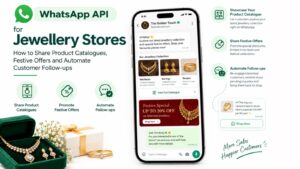
For example, a jewellery business can send a festive collection message to customers who previously interacted with related products.
Likewise, a restaurant can promote a seasonal menu or special offer to eligible customers.
A simple workflow could be:
Inactive Customer → Relevant Message → Product or Offer → Customer Response → Sales or Support Follow-Up
However, promotional communication should remain relevant and follow applicable WhatsApp messaging and consent requirements.
Businesses should also avoid sending repetitive or unwanted messages.
When used thoughtfully, re-engagement automation can help businesses stay connected with existing customers while supporting repeat purchases.
How to Build an Effective WhatsApp API Automation Strategy
Choosing workflows is only the first step.
The next stage is creating a strategy that connects automation with actual business goals.
Step 1: Identify Repetitive Tasks
Start by finding customer interactions that happen frequently.
Look for repetitive activities such as answering FAQs, confirming orders, sending reminders, collecting information, or following up with leads.
These tasks are often good candidates for automation.
Step 2: Define the Trigger
Next, identify what starts the workflow.
A trigger could be:
- New lead
- Website enquiry
- Ad interaction
- New order
- Appointment booking
- Payment event
- Support request
- Customer inactivity
A clear trigger helps the system take the correct action.
Step 3: Create the Customer Journey
Then, decide what should happen after the trigger.
The workflow may send a message, ask a question, collect information, update a CRM, notify an employee, or move the customer to another stage.
Consequently, the automation becomes part of a larger customer journey rather than a standalone message.
Step 4: Define Human Handover
Automation should make conversations easier.
Therefore, businesses should define when a human agent needs to take over.
For example, a customer may request an agent, ask a complex question, report a complaint, or show strong purchase intent.
In these situations, the workflow should provide a simple path to human assistance.
Step 5: Measure the Results
Finally, measure the workflow.
Track response rates, lead quality, conversions, appointment bookings, support resolution, customer engagement, and other metrics connected to the business objective.
Over time, these insights can help improve the automation.
Best Practices for WhatsApp API Automation
Successful automation is not simply about sending more messages.
Instead, businesses should focus on sending useful information at the right time.
Keep Messages Short
Customers should quickly understand why they received the message and what action they can take.
Therefore, avoid unnecessary paragraphs and complicated instructions.
Personalize Communication
Use relevant customer information where appropriate.
For example, businesses can personalize messages based on product interest, previous interaction, order status, or appointment details.
Provide Clear Options
Buttons, menus, and simple questions can make automated conversations easier to navigate.
Customers should not have to guess what they need to do next.
Create Human Handover Rules
If a customer asks for an agent or has a complex issue, the system should make escalation simple.
This helps prevent frustrating chatbot loops.
Respect Consent and Messaging Requirements
Businesses should follow applicable WhatsApp business messaging policies and use approved templates where required.
Moreover, promotional messages should be sent responsibly and to appropriate audiences.
Test Every Workflow
Before launching automation, test every step.
Check triggers, message timing, links, CRM updates, buttons, customer data, and human handover paths.
A small testing process can prevent major customer experience issues later.
Monitor Performance
A workflow should not be considered finished after launch.
Instead, review its performance regularly.
If customers frequently drop off at a particular step, the business can simplify that stage.
How Campaign Plus and Step4Growth Fit Into WhatsApp Automation
Businesses often need more than a messaging tool.
They need a connected growth process that combines customer acquisition, communication, automation, follow-up, and conversion.
Campaign Plus focuses on WhatsApp automation, chatbot experiences, and business communication workflows. These capabilities can help businesses automate repetitive conversations and create structured customer journeys.
At the same time, Step4Growth can support the broader digital growth side, including content, lead generation, marketing strategy, and customer acquisition activities.
Trending Bulb brings these ideas together through educational content covering WhatsApp API, automation, digital marketing, customer engagement, and business growth.
For example, a business could run a marketing campaign to generate leads.
Next, those leads could enter a WhatsApp automation workflow.
After that, the system could qualify prospects through automated questions. High-intent leads could then move to a sales representative for a personal conversation.
This creates a connected customer journey.
Instead of treating advertising, messaging, sales, and support as separate activities, businesses can connect them through automation.
Measuring WhatsApp Automation Performance
Automation should always connect to measurable business outcomes.
Businesses can track metrics such as:
- Number of leads captured
- First-response time
- Message delivery rate
- Response rate
- Lead qualification rate
- Appointment bookings
- Conversion rate
- Support resolution time
- Customer feedback rate
- Repeat purchases
- Campaign engagement
- Revenue influenced by campaigns
For instance, a lead-generation workflow may have a high response rate but a low conversion rate.
That could indicate that the qualification process or sales follow-up needs improvement.
Similarly, a support chatbot may resolve many basic queries but still have a high escalation rate.
In that situation, the business can review common questions and improve the automated knowledge flow.
The goal is not simply to automate more.
Instead, the goal is to create better customer journeys and stronger business outcomes.
FAQs About WhatsApp API Automation
What is WhatsApp API automation?
WhatsApp API automation uses the WhatsApp Business API to automate customer communication based on triggers, customer actions, business rules, or events.
Businesses can use it for lead generation, customer support, order updates, reminders, feedback, sales follow-ups, and more.
What businesses can use WhatsApp API automation?
Almost any business with customer communication needs can use WhatsApp automation.
For example, ecommerce brands, healthcare providers, restaurants, education companies, real estate businesses, jewellery stores, service providers, travel companies, and professional firms can create relevant workflows.
Can WhatsApp API automation generate leads?
Yes.
Businesses can connect lead-generation campaigns, forms, QR codes, websites, or other channels with WhatsApp workflows.
After a lead enters the system, automation can collect information, qualify the prospect, and notify the sales team.
Can WhatsApp automation replace human support?
Not completely.
Automation works well for repetitive questions and predictable processes. However, complex complaints, sensitive conversations, and high-value sales interactions may require human support.
Therefore, the best strategy combines automation with human assistance.
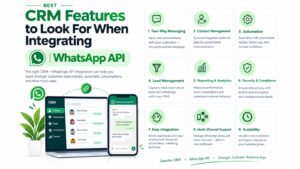
Can WhatsApp API connect with a CRM?
Yes.
Businesses can connect WhatsApp API workflows with CRM systems and other business tools, depending on the available integration.
This can help teams manage customer information, lead stages, follow-ups, and sales activity more efficiently.
Is WhatsApp API useful for sales follow-ups?
Yes.
Businesses can use automated workflows to send relevant follow-ups after enquiries, product interactions, abandoned processes, appointments, or other customer actions.
However, follow-ups should remain relevant and should not overwhelm customers.
How can Campaign Plus help with WhatsApp automation?
Campaign Plus provides WhatsApp automation, chatbot, and business communication capabilities that can help businesses build structured WhatsApp customer journeys.
Businesses can use these workflows for lead capture, customer support, follow-ups, notifications, and other repetitive communication processes.
Conclusion
WhatsApp API automation can help businesses manage repetitive communication while keeping customers engaged throughout the buying journey.
From lead capture and appointment booking to customer support, feedback, order updates, and re-engagement, the right workflows can save time and create more consistent customer experiences.
The 10 workflows covered in this guide provide a practical starting point.
Businesses can begin with one high-impact process and expand automation as their requirements grow.
Furthermore, automation works best when it connects with CRM systems, marketing campaigns, sales processes, and customer support.
Campaign Plus can support WhatsApp automation and chatbot workflows, while Step4Growth can contribute to the wider digital growth strategy.
For businesses exploring WhatsApp API, the opportunity is not simply to send automated messages.
It is about building a connected communication system that responds faster, nurtures leads, supports customers, and helps teams work more efficiently.
Trending Bulb will continue to cover practical WhatsApp API, automation, and digital marketing strategies to help businesses make better use of modern customer communication.