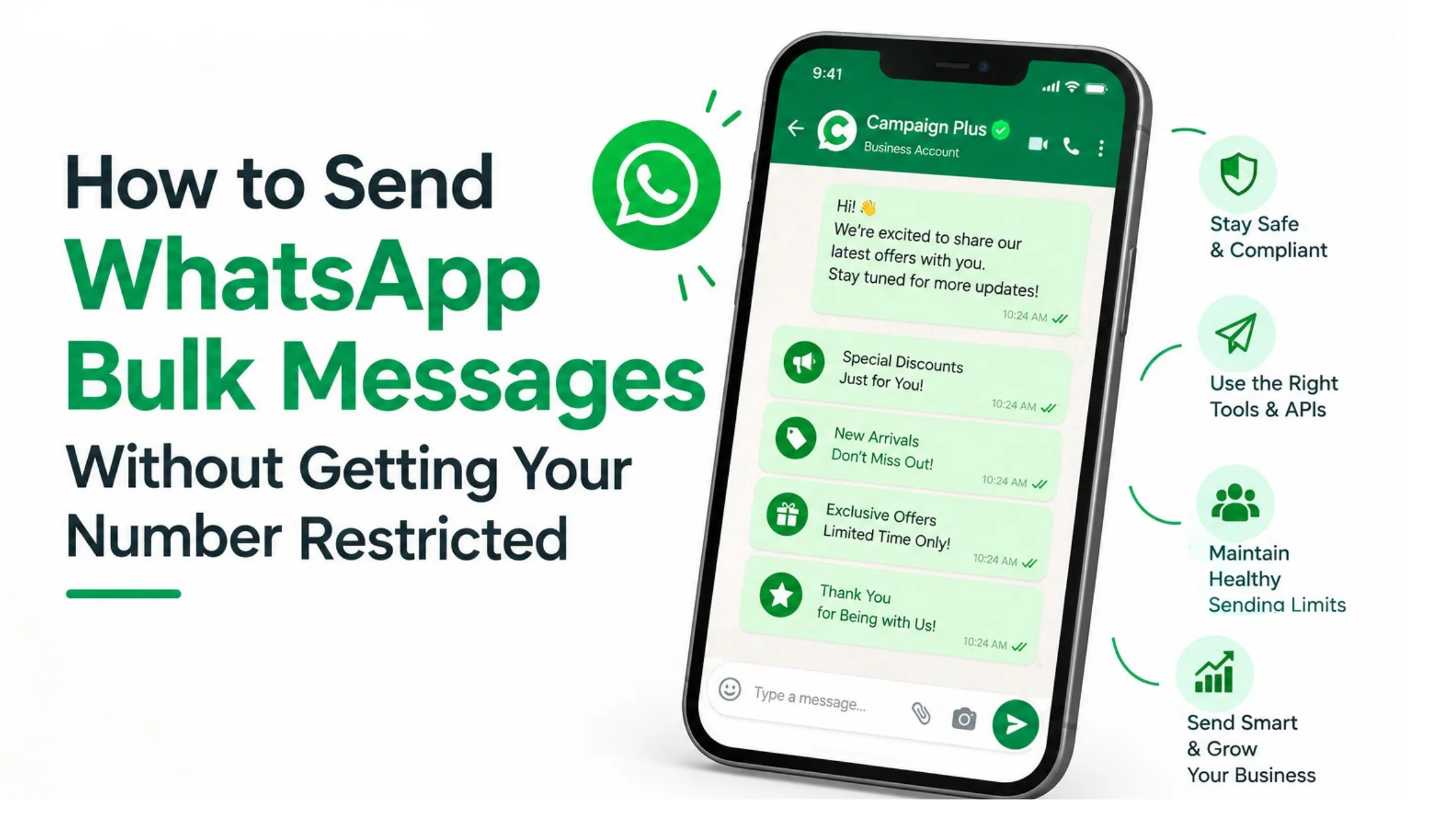
Introduction
Businesses use WhatsApp to connect with customers, share offers, generate leads, and increase sales. However, sending too many messages without following WhatsApp’s rules can lead to delivery issues, messaging limits, or account restrictions.
So, how can businesses send WhatsApp bulk messages without getting their number restricted?
The answer lies in using the right tools, contacting customers who have given permission, sending relevant messages, and following WhatsApp’s messaging policies. In addition, businesses should monitor customer feedback and maintain a healthy messaging strategy.
At Trending Bulb, we explore digital marketing strategies that help businesses improve customer communication. With solutions such as Campaign Plus and digital growth strategies from Step4Growth, businesses can build a more organised approach to WhatsApp communication.
In this guide, you will learn how to send bulk messages safely, avoid common mistakes, choose the right WhatsApp messaging solution, and improve your campaign performance.
What Is WhatsApp Bulk Messaging?
WhatsApp bulk messaging allows businesses to send a message to multiple customers without manually typing and sending each message individually.
For example, an online store might send product updates to interested customers. Similarly, a coaching institute might share admission announcements, while a real estate company might send property updates to people who have requested information.
Instead of managing every conversation separately, businesses can use suitable messaging tools to organise and automate their communication.
However, bulk messaging does not mean sending unlimited messages to random phone numbers. Businesses must respect customer consent, WhatsApp policies, and applicable privacy requirements.
Therefore, choosing an appropriate messaging method is the first step towards a sustainable campaign.
Why Does WhatsApp Restrict Business Numbers?
WhatsApp aims to protect users from spam, unwanted messages, scams, and abusive communication. Consequently, certain messaging practices can increase the risk of restrictions.
Understanding these practices helps businesses avoid preventable problems.
1. Sending Messages Without Customer Consent
One common mistake is sending promotional messages to people who never agreed to receive them.
For instance, a business might purchase a contact database and immediately send offers to every number on the list. However, having someone’s phone number does not automatically mean that the person has agreed to receive WhatsApp marketing messages.
Instead, businesses should build an opt-in customer list and explain what type of messages customers can expect.
2. Sending Too Many Messages Too Quickly
Suddenly increasing message volume can create problems, particularly when a business has little messaging history or poor customer engagement.
For example, a company might attempt to send thousands of promotional messages within a short period. If recipients report the messages or block the business, the campaign may attract unwanted attention.
Therefore, businesses should focus on relevant communication rather than simply increasing the number of messages sent.
Important: There is no universal daily sending limit that guarantees an account will remain unrestricted. Limits and enforcement can depend on the WhatsApp product, account status, messaging quality, and applicable policies.
3. Receiving Too Many Blocks and Reports
Customer feedback matters. When recipients repeatedly block a business or report its messages, it can indicate that the communication is unwanted or irrelevant.
As a result, businesses should review their audience, message frequency, and content whenever engagement declines or negative feedback increases.
4. Using Unofficial Bulk Messaging Tools
Some tools promise unlimited WhatsApp messaging through unofficial automation methods or modified applications.
Although these tools may appear convenient, they can expose businesses to account restrictions, data security problems, and unreliable delivery.
Instead, businesses should choose a suitable official WhatsApp solution that follows the applicable platform requirements.
5. Sending Misleading or Repetitive Content
Repeated messages, exaggerated claims, suspicious links, and misleading offers can damage customer trust.
For example, sending the same discount message several times a day may frustrate recipients. Likewise, using deceptive language to encourage clicks can harm the business’s reputation.
Therefore, create useful messages that clearly explain the offer and provide customers with a reason to engage.
10 Best Practices for Sending WhatsApp Bulk Messages Safely
Following these practices can help businesses improve message quality and reduce avoidable risks.
1. Use the Official WhatsApp Business Platform
First, choose the messaging solution that matches your business requirements.
The WhatsApp Business app may suit smaller businesses with basic communication needs. However, companies that require structured bulk campaigns, multiple team members, CRM integration, and advanced automation may benefit from the WhatsApp Business Platform, commonly accessed through an official provider.
For example, Campaign Plus provides WhatsApp Business API and automation solutions designed to help businesses manage customer communication.
An appropriate platform can help organise campaigns and workflows. Nevertheless, using an official solution does not guarantee that an account will never face restrictions. Businesses must still follow messaging policies and customer consent requirements.
2. Collect Customer Opt-Ins Before Sending Messages
Customer permission should be the foundation of every WhatsApp marketing campaign.
Before sending promotional messages, explain what customers are signing up for and how they will receive updates.
You can collect opt-ins through:
- Website subscription forms
- Checkout pages
- WhatsApp enquiry forms
- QR codes in stores
- Lead generation campaigns
- Customer registration forms
For example, an online clothing store could offer a checkbox that allows customers to receive new collection announcements and special offers through WhatsApp.
Make sure the permission is clear and appropriately recorded. Additionally, provide a straightforward way for customers to withdraw their consent.
3. Segment Your Contact List
Not every customer wants the same information. Therefore, dividing your audience into relevant groups can make campaigns more useful.
For example, an ecommerce business could create separate segments for new customers, repeat buyers, customers interested in a particular category, and people who have requested product information.
Then, send each group content that matches its interests and permissions.
This approach reduces irrelevant messages and improves the customer experience.
4. Personalise Your Messages
Personalisation helps businesses communicate more naturally.
Instead of sending a generic message to everyone, use appropriate details such as the customer’s name, selected product category, appointment date, or previous enquiry.
For instance:
“Hi [Customer Name], our new skincare collection is now available. Would you like to explore products suited to your interests?”
However, personalisation should be accurate and respectful. Avoid using private information in ways customers would not reasonably expect.
5. Follow WhatsApp Message Template Requirements
Businesses using the WhatsApp Business Platform must follow the applicable rules for business-initiated messaging.
Depending on the messaging context, businesses may need approved message templates. Marketing, utility, and authentication messages have different purposes and requirements.
For example, an appointment reminder differs from a promotional discount announcement. Therefore, select the appropriate template category and follow the current requirements for each message.
Also, do not assume that an approved template permits messaging anyone without consent. Other messaging rules still apply.
6. Maintain a Reasonable Sending Schedule
Sending messages at an appropriate frequency helps prevent customer fatigue.
Instead of sharing promotional content every day, develop a schedule based on customer expectations, campaign objectives, and engagement patterns.
For example, a retail brand might send occasional product announcements and relevant seasonal offers rather than repeatedly promoting the same sale.
There is no single sending frequency that works for every business. Consequently, monitor engagement and adjust your schedule according to customer responses and platform guidance.
7. Avoid Sudden, Unplanned Volume Increases
Campaign planning is important when your business expects to reach a large audience.
Before launching a campaign, confirm your account’s current messaging limits, quality indicators, and approved capabilities. Also, ensure that your contact list contains customers who have agreed to receive the relevant messages.
Do not attempt to bypass platform limits by rotating numbers, using unofficial tools, or creating additional accounts to continue unwanted messaging.
Instead, follow the available account limits and scale your campaigns through approved methods.
8. Provide Relevant and Valuable Content
Customers are more likely to appreciate messages that solve a problem, answer a question, or share information they requested.
For example, a real estate company might share details about a property that matches a customer’s requirements. Similarly, a healthcare business might send an appointment reminder when appropriate.
In contrast, unrelated promotions can lead to blocks and negative feedback.
Therefore, prioritise usefulness over volume. Every message should have a clear purpose and a relevant audience.
9. Respect Opt-Out Requests
Customers should be able to stop receiving marketing messages without unnecessary difficulty.
If someone asks to unsubscribe, update your contact records and suppress further messages covered by that request.
Moreover, ensure that your automation system recognises opt-out requests instead of continuing to send scheduled promotions.
This simple practice demonstrates respect for customer preferences and helps maintain a healthier contact database.
10. Monitor Message Quality and Campaign Performance
Sending a campaign is only the beginning. Businesses must also evaluate what happens after delivery.
Track relevant indicators, including delivery status, read rates where available, customer replies, conversions, opt-outs, and negative feedback.
If engagement declines or complaints increase, pause to investigate the cause rather than immediately increasing message volume.
For example, a campaign with high delivery but very few meaningful replies might need better audience targeting or more relevant content.
Consequently, regular monitoring helps businesses improve future campaigns using actual results.
WhatsApp Business App vs WhatsApp Business Platform: Which Should You Choose?
Choosing the right solution depends on the size of your audience and the complexity of your communication needs.
| Feature | WhatsApp Business app | WhatsApp Business Platform |
|---|---|---|
| Best suited for | Small businesses | Growing and larger businesses |
| Customer communication | Basic business messaging | Structured, API-based messaging |
| Automation | Basic built-in features | Advanced automation through integrations |
| Team collaboration | More limited | Can support multi-agent workflows through suitable tools |
| CRM integration | More limited | Available through compatible integrations |
| Bulk campaigns | App features and limits apply | Supported through compliant provider workflows |
| Setup | Generally simpler | May require provider setup and technical configuration |
The WhatsApp Business Platform is often a better fit for businesses that need scalable workflows, advanced chatbots, campaign management, or CRM connections.
However, the best option depends on your requirements, budget, and customer communication model.
For businesses looking for an integrated solution, Campaign Plus offers WhatsApp Business API and automation capabilities. Meanwhile, Step4Growth can support the broader digital marketing strategy that helps businesses attract relevant audiences and generate leads.
How Campaign Plus Can Help Businesses Manage WhatsApp Bulk Messaging
Managing bulk communication manually becomes difficult as a business grows. Therefore, suitable automation tools can help organise campaigns, customer conversations, and follow-up processes.
Campaign Plus provides WhatsApp Business API and automation solutions for businesses that want to streamline customer communication.
Depending on the selected features and configuration, businesses can explore capabilities such as:
Bulk Campaign Management
Businesses can organise campaigns for relevant customer groups instead of managing every message manually.
For example, a retailer can plan a product launch announcement for customers who opted in to receive those updates.
WhatsApp Chatbot Automation
Chatbots can answer common questions, guide customers through predefined options, and help collect relevant enquiry details.
As a result, businesses can reduce repetitive manual work while providing customers with a more consistent experience.
Shared Team Inbox
Where supported by the selected setup, a shared inbox can help multiple team members manage customer conversations.
This is useful when sales and support teams need to respond to enquiries without losing track of previous interactions.
Customer Follow-Ups
Automation can help businesses organise appropriate follow-ups for enquiries, bookings, and customer requests.
However, businesses should configure these workflows carefully to respect consent, message permissions, and applicable messaging rules.
Performance Tracking
Campaign reporting can help businesses understand which messages generate responses and which campaigns need improvement.
Therefore, teams can use performance insights to refine audience segments, content, and campaign timing.
Remember: Campaign Plus tools can support compliant messaging workflows, but no platform can guarantee unrestricted sending. Results depend on account standing, implementation, customer feedback, and compliance with WhatsApp’s policies.
Common Mistakes to Avoid When Sending WhatsApp Bulk Messages
Even businesses using suitable tools can make mistakes. Fortunately, most can be addressed through better planning and monitoring.
Buying Contact Lists
Purchased lists may contain people who never agreed to receive your messages. Instead, develop your own opt-in database through legitimate customer interactions.
Using Unofficial Automation
Unofficial tools may expose your account and customer data to unnecessary risks. Choose an appropriate, supported messaging solution.
Sending Identical Promotions Repeatedly
Repetitive campaigns can annoy recipients. Instead, vary your content according to customer interests and campaign objectives.
Ignoring Customer Feedback
Low engagement, blocks, complaints, and opt-outs can signal that your strategy needs attention. Review these indicators regularly.
Treating Every Contact as a Marketing Lead
A customer who contacts your business for support has not necessarily agreed to receive unrelated promotions. Keep marketing permissions and customer communication purposes clear.
Trying to Bypass Restrictions
Changing numbers or using unofficial workarounds does not solve the underlying problem. If WhatsApp restricts your account, review the notice, follow the official appeal process where available, and correct the behaviour that caused the issue.
A Practical Checklist Before Launching a WhatsApp Bulk Campaign
Before sending your next campaign, review the following checklist.
- Confirm that recipients have provided appropriate consent.
- Remove opted-out contacts from the campaign list.
- Segment customers according to relevant interests.
- Check the message content for accuracy and clarity.
- Confirm that the correct message template and category are being used, where required.
- Verify current messaging limits and account quality indicators.
- Schedule messages at an appropriate frequency.
- Test the campaign workflow before launch.
- Monitor delivery, replies, opt-outs, and negative feedback.
- Review results and improve the next campaign.
By following this checklist, businesses can create more organised campaigns while reducing avoidable messaging risks.
How Step4Growth and TrendingBulb Support Better Digital Marketing
WhatsApp bulk messaging works best when it is part of a broader customer acquisition and retention strategy.
For example, businesses can attract relevant audiences through search engine optimisation, social media marketing, website content, and paid advertising. Then, with appropriate consent, they can use WhatsApp to nurture enquiries and share useful updates.
Step4Growth focuses on digital growth strategies and marketing education that can help businesses improve their online presence.
Trending Bulb shares digital marketing insights, practical guides, and content that helps businesses understand tools and strategies for online growth.
Meanwhile, Campaign Plus offers WhatsApp Business API and automation solutions to help businesses organise customer communication.
Together, these areas support a connected marketing approach: attract the right audience, build trust, communicate responsibly, and measure results.
Nevertheless, WhatsApp should not be treated as a standalone solution. Businesses should align their messaging campaigns with their website, CRM, customer support, and wider marketing objectives.
Frequently Asked Questions (FAQs)
1. How can I send WhatsApp bulk messages without getting my number restricted?
Use an appropriate official messaging solution, contact customers who have given the necessary permission, follow current WhatsApp policies, send relevant messages, and monitor customer feedback. No method can guarantee that an account will never be restricted.
2. Can I send 1,000 WhatsApp messages at once?
Your ability to send messages depends on the WhatsApp product, account status, messaging limits, and the features supported by your provider. Check your current account limits and use an approved campaign workflow rather than assuming that every account can send the same volume.
3. Is WhatsApp bulk messaging legal?
Bulk messaging may be permitted when businesses follow applicable WhatsApp policies, consent requirements, privacy laws, and other relevant regulations. Requirements vary by location and use case. Sending unsolicited promotional messages can create compliance risks.
4. Does WhatsApp Business API prevent number restrictions?
No. The WhatsApp Business Platform provides approved business messaging capabilities, but it does not eliminate restrictions. Businesses must still maintain appropriate consent, message quality, and policy compliance.
5. What should I do if WhatsApp restricts my business number?
Review the restriction notice and any available account-quality information. Identify possible policy violations, stop problematic messaging practices, and use the official appeal or support process if available. Avoid unofficial workarounds that could create further problems.
6. How often should I send WhatsApp marketing messages?
There is no universal frequency that suits every business. Consider customer expectations, the relevance of your content, previous engagement, and opt-out rates. Start with a sensible schedule and adjust it based on feedback.
7. Which platform can help me automate WhatsApp bulk messages?
Businesses that need API-based messaging, campaign management, chatbot workflows, or integrations can explore suitable WhatsApp Business Platform providers. Campaign Plus offers WhatsApp Business API and automation solutions for business communication.
8. Can a WhatsApp chatbot help reduce restrictions?
A chatbot can organise enquiries and automate relevant interactions. However, a chatbot alone cannot prevent restrictions. Businesses must still follow messaging policies, obtain appropriate consent, and avoid unwanted promotional communication.
Conclusion: Send Smarter WhatsApp Messages, Not Just More Messages
WhatsApp bulk messaging can help businesses share updates, nurture leads, improve customer service, and support sales. However, sending large volumes without a clear strategy can damage customer trust and increase the risk of restrictions.
The smarter approach is to build an opt-in audience, choose the right messaging platform, segment contacts, send useful content, respect opt-outs, and monitor campaign performance.
Additionally, businesses should review their messaging practices regularly and respond quickly when customer feedback indicates a problem.
With the right planning and tools, companies can create more organised customer communication while maintaining a responsible approach to WhatsApp marketing.
Want to improve your WhatsApp communication strategy?
Explore Campaign Plus for WhatsApp Business API and automation solutions. Follow Trending Bulb for practical digital marketing insights, and explore Step4Growth for strategies that support your broader online growth.
Build customer trust first. Automate thoughtfully. Grow sustainably.