Introduction
WhatsApp has become an important communication channel for businesses. Companies now use it to generate leads, answer customer questions, send updates, promote products, and support customers. However, simply using WhatsApp API is not enough.
Businesses also need to understand what happens after they send a message.
For example, are customers receiving your messages? Are they reading them? Are they clicking links? Are leads responding? How quickly does your team reply? Most importantly, are WhatsApp conversations helping your business generate sales?
This is where WhatsApp API analytics becomes valuable.
With the right analytics, businesses can turn WhatsApp conversations into useful business insights. Moreover, these insights can help teams improve customer engagement, lead generation, support, and sales performance.
In this guide, we will explore the most important WhatsApp API metrics businesses should track, why these metrics matter, and how companies can use them to improve their WhatsApp marketing and automation strategies.
What Is WhatsApp API Analytics?
WhatsApp API analytics refers to the process of tracking and analyzing the performance of business conversations, messages, campaigns, automation, and customer interactions through the WhatsApp Business API.
Instead of simply counting how many messages were sent, businesses can look at several performance indicators.
For instance, they can track:
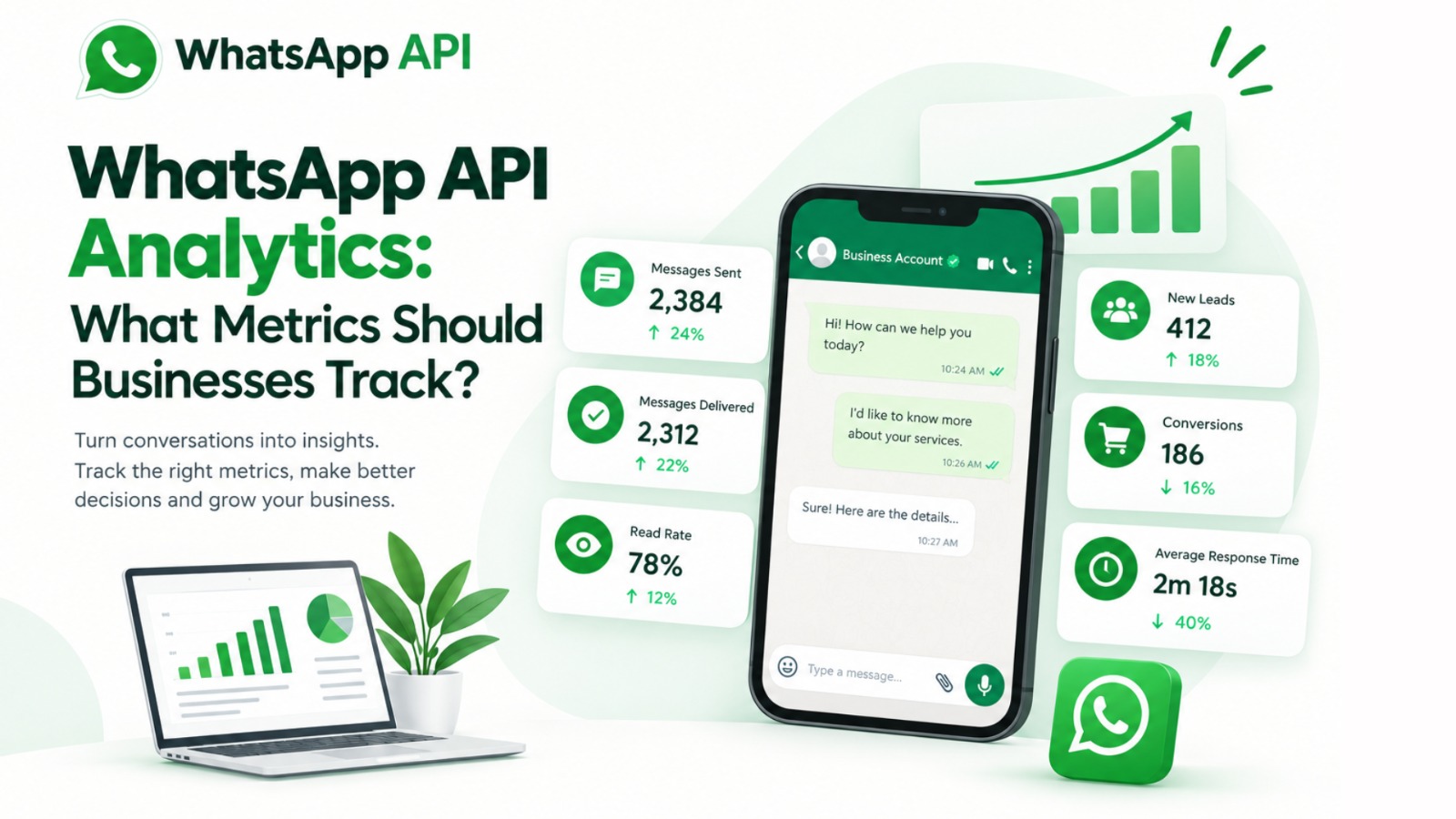
- Messages sent
- Message delivery rate
- Read rate
- Response rate
- Click-through rate
- Lead generation
- Conversion rate
- Response time
- Customer engagement
- Campaign performance
- Failed messages
- Customer support performance
As a result, businesses can understand which WhatsApp activities are working and which areas need improvement.
Furthermore, analytics can help companies make decisions based on real customer behavior rather than assumptions.
Why WhatsApp API Analytics Matters for Businesses
Sending thousands of WhatsApp messages does not automatically mean a campaign is successful.
A business may send 10,000 messages, but if only a small percentage of customers engage with them, the campaign may not deliver the expected results.
Therefore, businesses need to measure the complete customer journey.
For example, imagine an online store sends a WhatsApp product campaign to 5,000 customers. Out of those messages, 4,700 are delivered. Then, 3,500 customers read them, 600 click the product link, and 120 complete a purchase.
These numbers tell a much better story than simply saying that 5,000 messages were sent.
Consequently, analytics helps businesses identify where customers engage and where they drop off.
Platforms such as Campaign Plus can support businesses with WhatsApp automation, chatbots, customer communication, and related workflows. Meanwhile, Step4Growth can help businesses connect digital marketing activities with broader growth strategies.
For brands looking to understand WhatsApp marketing trends and automation opportunities, Trending Bulb also provides useful business-focused content around WhatsApp API and digital communication.
1. Messages Sent
The first metric businesses should monitor is the number of messages sent.
This metric shows the overall volume of WhatsApp communication generated by your business.
For example, you may track:
- Promotional messages
- Order confirmations
- Payment reminders
- Appointment notifications
- Customer support messages
- Follow-up messages
- Lead nurturing messages
However, the number of messages sent should not be treated as the main success metric.
A high sending volume does not necessarily mean high engagement.
Instead, businesses should compare messages sent with delivery, read, response, click, and conversion metrics.
This comparison gives teams a clearer understanding of campaign performance.
2. Message Delivery Rate
The WhatsApp message delivery rate shows how many sent messages successfully reached customers.
A simple formula is:
Delivery Rate = Delivered Messages ÷ Sent Messages × 100
For example, if a business sends 1,000 messages and 950 reach customers, the delivery rate is 95%.
A strong delivery rate generally indicates that your messaging process is working effectively. On the other hand, a lower rate may require investigation.
Possible reasons include:
- Invalid customer numbers
- Account-related issues
- Connectivity problems
- Messaging restrictions
- Incorrect customer data
- Template-related issues
Therefore, businesses should monitor delivery performance regularly.
3. Message Read Rate
Delivery does not mean that a customer has actually seen the message.
That is why the WhatsApp read rate is another important metric.
Read rate helps businesses understand how many delivered messages customers actually opened or viewed.
For example, a campaign might have a 96% delivery rate but only a 55% read rate.
In that situation, the business may need to examine its message content, timing, audience, or overall campaign strategy.
Furthermore, businesses can compare read rates across different campaigns.
For example, a festival offer might achieve a higher read rate than a general promotional message. Consequently, the company can learn what type of content attracts more attention.
4. Response Rate
The response rate measures how many customers reply after receiving a WhatsApp message.
This metric is particularly important for businesses using WhatsApp for:
- Lead generation
- Customer support
- Sales conversations
- Appointment booking
- Product enquiries
- Feedback collection
A high response rate usually indicates that customers find the message relevant enough to start a conversation.
However, a low response rate does not always mean the campaign failed.
Businesses should also consider the purpose of the message.
For example, an order confirmation may not require a response. In contrast, a lead-generation campaign should ideally encourage customers to respond.
Therefore, always evaluate response rate based on campaign objectives.
5. Click-Through Rate
If your WhatsApp message contains a website, product page, landing page, catalogue, or payment link, you should track the click-through rate (CTR).
CTR shows how many customers clicked the link after receiving the message.
The basic formula is:
CTR = Link Clicks ÷ Delivered Messages × 100
For example, if 2,000 messages are delivered and 200 customers click the link, the CTR is 10%.
A higher CTR can indicate that your message, offer, call-to-action, and audience are aligned.
On the other hand, a low CTR may suggest that the message needs improvement.
Businesses can test:
- Different headlines
- Different offers
- Shorter messages
- Stronger CTAs
- Different images
- Different landing pages
- Different audience segments
As a result, CTR can become a useful metric for improving WhatsApp campaigns.
6. Lead Generation
For many businesses, WhatsApp is not only a communication channel. It is also a lead-generation channel.
Therefore, companies should track how many leads they generate through WhatsApp.
For example, a business could measure:
- New WhatsApp enquiries
- Qualified leads
- Product enquiries
- Demo requests
- Appointment requests
- Callback requests
- Quote requests
However, simply counting leads is not enough.
Businesses should also measure lead quality.
For instance, 500 WhatsApp enquiries may sound impressive. Yet, if only 20 are qualified prospects, the campaign may need improvement.
Consequently, businesses should connect WhatsApp analytics with their CRM or sales process whenever possible.
7. Lead-to-Customer Conversion Rate
One of the most important WhatsApp API metrics is the conversion rate.
This metric helps businesses understand how many WhatsApp leads eventually become customers.
For example:
Conversion Rate = Customers Generated ÷ WhatsApp Leads × 100
Suppose a company generates 400 WhatsApp leads and 80 customers make a purchase.
The conversion rate would be 20%.
This metric provides much more business value than message volume alone.
Furthermore, businesses can compare conversion rates across different campaigns, products, audiences, and customer segments.
For example, a jewellery brand might discover that WhatsApp festival campaigns generate more sales than regular promotional campaigns.
As a result, the business can invest more resources into strategies that generate actual revenue.
8. Average Response Time
Customers expect quick communication.
Therefore, average response time is an important metric for businesses using WhatsApp for customer support and sales.
This metric shows how long it typically takes for a business or support team to respond to customer messages.
For example, if customers wait several hours for a response, they may lose interest or contact another company.
On the other hand, faster responses can improve the customer experience.
WhatsApp chatbots can help businesses handle common questions instantly.
For example, a chatbot can provide:
- Product information
- Pricing details
- Store timings
- Order status
- Appointment information
- Frequently asked questions
- Basic support
Campaign Plus provides WhatsApp automation and chatbot solutions that can help businesses automate repetitive customer interactions.
As a result, teams can focus on more complex conversations while automation handles routine queries.
9. Customer Engagement Rate
Customer engagement shows how actively customers interact with your WhatsApp communication.
Engagement can include:
- Replies
- Link clicks
- Button clicks
- Product views
- Catalogue interactions
- Conversations started
- Responses to offers
Tracking engagement helps businesses understand whether customers find their communication useful.
For example, a product campaign with a high delivery rate but low engagement may need a stronger message or more relevant offer.
Therefore, engagement metrics should be reviewed alongside delivery and read rates.
10. Campaign Conversion Rate
Businesses often run multiple WhatsApp campaigns.
These campaigns may promote different products, services, offers, or events.
Consequently, it is important to compare campaign performance.
For example, you might compare:
Campaign A: Festival discount
Campaign B: Product launch
Campaign C: Free consultation
Campaign D: Limited-time offer
Each campaign may have different results.
One campaign may generate more clicks, while another may generate more sales.
Therefore, campaign-level analytics can help businesses identify which strategies deliver the strongest results.
11. Failed Message Rate
Not every WhatsApp message will reach its intended customer.
That is why businesses should also monitor the failed message rate.
A high failure rate may indicate problems with customer data, messaging setup, templates, or other technical factors.
Regular monitoring allows teams to identify issues early.
Moreover, maintaining accurate customer databases can improve communication quality.
Businesses should regularly review inactive, incorrect, or outdated contact information.
12. Customer Support Resolution Rate
For businesses using WhatsApp for customer service, another useful metric is the resolution rate.
This metric measures how many customer issues are successfully resolved through WhatsApp.
For example, businesses can track:
- Issues resolved by chatbot
- Issues resolved by human agents
- Issues escalated to other teams
- Unresolved conversations
- Repeat support requests
This information can reveal whether the current support process is effective.
Furthermore, businesses can identify common customer problems and create automated responses for frequently asked questions.
13. Chatbot Performance
Chatbots are becoming an important part of WhatsApp automation.
However, businesses should not assume that a chatbot is successful simply because it is active.
Instead, companies should measure chatbot performance.
Useful chatbot metrics include:
- Conversations started
- Questions answered
- Leads captured
- Users completing the chatbot flow
- Human handovers
- Drop-off rate
- Successful resolutions
For example, if many customers leave the chatbot at the same step, that part of the conversation may need improvement.
Consequently, analytics can help businesses create smoother chatbot experiences.
14. Cost Per Lead and Cost Per Conversion
Businesses should also connect WhatsApp performance with financial results.
Two useful metrics are cost per lead (CPL) and cost per conversion.
Cost per lead helps businesses understand how much they spend to generate each WhatsApp lead.
Meanwhile, cost per conversion shows how much the business spends to generate an actual customer or sale.
These metrics become especially useful when WhatsApp campaigns are connected with paid advertising.
For example, a company can compare Facebook and Instagram advertising campaigns that send users to WhatsApp.
Then, the business can identify which campaigns generate better-quality leads at a lower cost.
This approach can help marketing teams improve their return on investment.
15. Revenue Generated Through WhatsApp
Ultimately, businesses need to understand whether WhatsApp contributes to revenue.
Therefore, revenue generated through WhatsApp can be one of the most valuable metrics.
Businesses can track revenue from:
- WhatsApp product enquiries
- WhatsApp sales conversations
- WhatsApp campaigns
- WhatsApp catalogue interactions
- WhatsApp follow-ups
- WhatsApp payment reminders
- Repeat purchases
When businesses connect WhatsApp data with their CRM and sales systems, they can get a clearer picture of the customer journey.
As a result, WhatsApp becomes more than a messaging platform. It becomes a measurable business channel.
How Businesses Can Use WhatsApp API Analytics to Improve Performance
Collecting metrics is only the first step.
The real value comes from using those metrics to make better decisions.
First, identify your business objective.
For example, your goal might be lead generation, sales, customer support, or repeat purchases.
Next, choose metrics that directly support that goal.
If your goal is lead generation, focus on:
- Leads generated
- Response rate
- Cost per lead
- Qualified leads
- Conversion rate
However, if customer support is your main objective, focus on:
- Response time
- Resolution rate
- Chatbot completion
- Escalation rate
- Customer engagement
Then, compare your results over time.
Weekly and monthly comparisons can help identify trends.
Furthermore, businesses should compare campaigns against one another rather than looking at individual numbers in isolation.
Best Practices for WhatsApp API Analytics
Set Clear Goals
Before launching a campaign, define what success means.
For example, decide whether you want more leads, sales, appointments, responses, or customer engagement.
Track the Complete Customer Journey
Do not stop at delivery and read rates.
Instead, track the journey from message delivery to engagement, lead generation, conversion, and revenue.
Segment Your Audience
Different customers may respond differently to your messages.
Therefore, analyze results by audience, location, product interest, customer type, or campaign.
Test Different Messages
Experiment with different CTAs, offers, formats, and messaging styles.
Then, compare the results.
Connect WhatsApp With Your CRM
CRM integration can help businesses connect conversations with customer information and sales activity.
Consequently, sales teams can better understand which WhatsApp conversations generate real business opportunities.
Automate Repetitive Communication
Automation can reduce manual work and improve response speed.
Campaign Plus can help businesses use WhatsApp automation and chatbot workflows to manage customer communication more efficiently.
Review Analytics Regularly
Do not check your analytics only after a campaign ends.
Instead, review important metrics regularly and make adjustments when necessary.
How TrendingBulb, Campaign Plus and Step4Growth Fit Into WhatsApp Growth
Businesses need both technology and strategy to get the most from WhatsApp.
Trending Bulb focuses on digital marketing, WhatsApp API trends, automation, and business communication topics that help companies understand changing customer behavior.
Meanwhile, Campaign Plus provides WhatsApp automation, chatbot and more to make business growth. Its automation capabilities can help businesses manage conversations, follow-ups, customer queries, and lead-generation workflows.
At the same time, Step4Growth can help businesses look at WhatsApp as part of a broader digital growth strategy.
Together, these approaches highlight an important point: WhatsApp analytics should not exist separately from marketing and sales.
Instead, businesses should connect WhatsApp performance with their overall growth objectives.
Common Mistakes Businesses Make With WhatsApp Analytics
One common mistake is focusing only on the number of messages sent.
Although message volume is useful, it does not tell the complete story.
Another mistake is ignoring conversion data.
A campaign can have excellent engagement but still generate very few sales.
Additionally, some businesses track too many metrics without defining a clear objective.
This can make reports confusing.
Therefore, choose a small group of meaningful KPIs and monitor them consistently.
Finally, businesses sometimes collect data without acting on it.
Analytics becomes valuable only when it leads to better decisions.
WhatsApp API Metrics Businesses Should Track: Quick Checklist
Here is a simple checklist businesses can use:
- Messages Sent – Measures communication volume.
- Delivery Rate – Shows how many messages reached customers.
- Read Rate – Shows how many delivered messages were viewed.
- Response Rate – Measures customer replies.
- Click-Through Rate – Measures link engagement.
- Leads Generated – Shows WhatsApp lead-generation performance.
- Lead Quality – Measures how valuable those leads are.
- Conversion Rate – Shows how many leads become customers.
- Response Time – Measures how quickly teams respond.
- Engagement Rate – Shows customer interaction.
- Campaign Performance – Helps compare different campaigns.
- Failed Message Rate – Identifies delivery problems.
- Resolution Rate – Measures customer support effectiveness.
- Chatbot Performance – Shows automation effectiveness.
- Cost Per Lead – Measures lead-generation efficiency.
- Cost Per Conversion – Measures acquisition efficiency.
- Revenue Generated – Connects WhatsApp activity with business results.
Frequently Asked Questions
What is WhatsApp API analytics?
WhatsApp API analytics is the process of measuring WhatsApp messages, customer interactions, campaigns, leads, conversions, and other performance indicators to understand business communication results.
Which WhatsApp API metric is most important?
There is no single metric that works for every business. However, conversion rate, qualified leads, response rate, and revenue can be especially valuable for sales-focused businesses.
How can businesses measure WhatsApp campaign performance?
Businesses can measure delivery rate, read rate, response rate, click-through rate, leads, conversions, and revenue. Comparing these metrics across campaigns can reveal which strategies perform best.
Why is WhatsApp response time important?
Fast responses can improve customer experience and help businesses avoid losing potential leads. Automation and chatbots can help answer common questions quickly.
Can WhatsApp API analytics improve sales?
Yes. Analytics can show which campaigns, messages, audiences, and follow-up strategies generate the most leads and conversions. Businesses can then invest more in strategies that produce better results.
How can chatbots improve WhatsApp analytics?
Chatbots can capture customer information, guide users through predefined journeys, answer common questions, and record interaction data. Therefore, businesses can analyze where customers engage or drop off.
Should businesses connect WhatsApp API with a CRM?
Yes, when possible. CRM integration can help businesses connect WhatsApp conversations with customer profiles, sales activities, follow-ups, and conversions.
Final Thoughts
WhatsApp API analytics helps businesses move beyond simply sending messages.
Instead, it allows them to understand what happens after a message reaches a customer.
From delivery and read rates to engagement, leads, conversions, response time, and revenue, every metric can provide useful information.
However, businesses should not track metrics simply because they are available.
The best approach is to connect each metric with a clear business goal.
For example, a sales-focused company may prioritize qualified leads, conversion rate, cost per conversion, and revenue. On the other hand, a customer-support team may focus more on response time, resolution rate, chatbot performance, and customer engagement.
Furthermore, automation can make the process more efficient.
With solutions such as Campaign Plus, businesses can build WhatsApp automation and chatbot workflows that support lead generation, customer service, and follow-ups. Meanwhile, Step4Growth can help businesses connect WhatsApp activities with wider digital growth strategies. Trending Bulb can also help businesses stay informed about WhatsApp API, automation, and digital marketing trends.
Ultimately, the goal is simple: do not just send more WhatsApp messages. Use data to send better messages, create better conversations, and generate better business results.