Introduction
WhatsApp Business API has become an important communication channel for businesses that want to connect with customers, generate leads and improve customer support. Today, companies use WhatsApp to share product updates, send order notifications, manage enquiries and build stronger customer relationships.
Moreover, WhatsApp automation allows businesses to manage a large number of customer conversations without depending entirely on manual communication.
However, using the WhatsApp Business Platform also comes with certain responsibilities. Businesses must follow Meta’s messaging policies, respect customer preferences and maintain a positive messaging experience.
If a business sends unsolicited messages, misuses message templates or receives repeated customer complaints, WhatsApp may restrict its messaging activities. In more serious cases, Meta may limit certain features or take additional enforcement action.
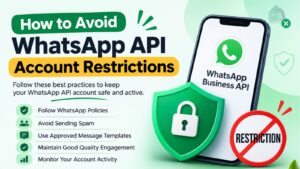
Therefore, understanding how to avoid WhatsApp API account restrictions is essential for every business using WhatsApp for marketing, sales or customer support.
Fortunately, businesses can reduce the risk of restrictions by following the right practices. For example, they should collect customer permission, send relevant messages, use approved templates and monitor account quality regularly.
In this complete guide, Trending Bulb explains the common reasons behind WhatsApp API restrictions and shares 15 practical ways to protect your business account. Additionally, we will explore how Campaign Plus and Step4Growth can support businesses in building better WhatsApp communication and digital marketing strategies.
What Are WhatsApp API Account Restrictions?
WhatsApp API account restrictions are limitations that Meta may apply when a business violates WhatsApp Business policies or creates a poor messaging experience for customers.
These restrictions can affect how a business communicates with WhatsApp users. Depending on the issue, Meta may limit messaging activities, restrict certain features, pause message templates or take more serious enforcement action.
For instance, a business might experience restrictions after repeatedly sending promotional messages to people who never agreed to receive them.
Similarly, customers may block or report a business if its messages are irrelevant, misleading or too frequent.
It is important to understand that using an official WhatsApp API provider does not automatically protect a business from restrictions. Instead, every business remains responsible for its messaging practices and policy compliance.
According to the WhatsApp Business Messaging Policy, businesses must obtain appropriate permission before contacting people and respect requests to stop receiving messages.
Why Do WhatsApp API Accounts Get Restricted?
Before learning how to prevent restrictions, businesses should understand what commonly causes them.
Here are some important reasons that can affect WhatsApp Business API accounts.
1. Sending Messages Without Customer Permission
Sending WhatsApp messages to people who have not agreed to receive them can create a poor customer experience.
For example, purchasing a database of phone numbers and sending promotional messages to everyone on that list can increase the chances of customer complaints, blocks and reports.
Moreover, people may not recognise your business or understand why they are receiving your messages.
Therefore, businesses should collect clear permission and explain what type of communication customers can expect.
2. Sending Too Many Promotional Messages
Customers may lose interest when businesses repeatedly send discounts, offers and product promotions.
Even if customers initially agreed to receive updates, excessive messaging can make them uncomfortable.
For instance, sending the same promotional offer every day may encourage customers to block your business.
Instead, companies should create a balanced messaging schedule and focus on useful communication rather than sending promotions continuously.
3. Ignoring WhatsApp Business Policies
WhatsApp has policies that businesses must follow while using its Business Platform.
These policies cover messaging practices, prohibited content, commerce activities and customer experience.
Consequently, businesses should review the latest official guidelines before launching new campaigns.
Furthermore, marketing teams should understand that policy compliance applies to both manual communication and automated messages.
4. Using Misleading Message Templates
Businesses using the WhatsApp Business Platform must follow the template approval process for business-initiated conversations outside the customer service window.
However, approval does not mean that businesses can use templates for any purpose.
For example, a company should not label a promotional offer as an order update simply to avoid the marketing template category.
Instead, every template should accurately represent its purpose and provide relevant information.
5. Receiving Too Many Customer Blocks and Reports
Customers can block or report businesses when they receive unwanted messages.
These signals matter because WhatsApp uses user feedback and other account information to identify potential policy violations and poor messaging experiences.
As a result, repeated negative feedback may affect a business’s messaging quality and lead to restrictions.
Therefore, businesses should monitor customer responses and review campaigns that generate negative feedback.
6. Using Unofficial Automation Tools
Some businesses use unauthorised tools, browser extensions or unsupported software to send bulk WhatsApp messages.
Although these tools may appear convenient, they can expose businesses to account and policy risks.
For this reason, companies should choose an official WhatsApp Business Platform solution and verify that their provider follows Meta’s requirements.
7. Sending Irrelevant Messages to Every Contact
A customer who purchases clothing may not be interested in receiving unrelated offers about electronics.
Likewise, someone who asks about a service may not want repeated messages about products they never considered.
Therefore, businesses should segment their audiences according to customer interests, purchase history and communication preferences.
This approach makes marketing communication more relevant and improves the overall customer experience.
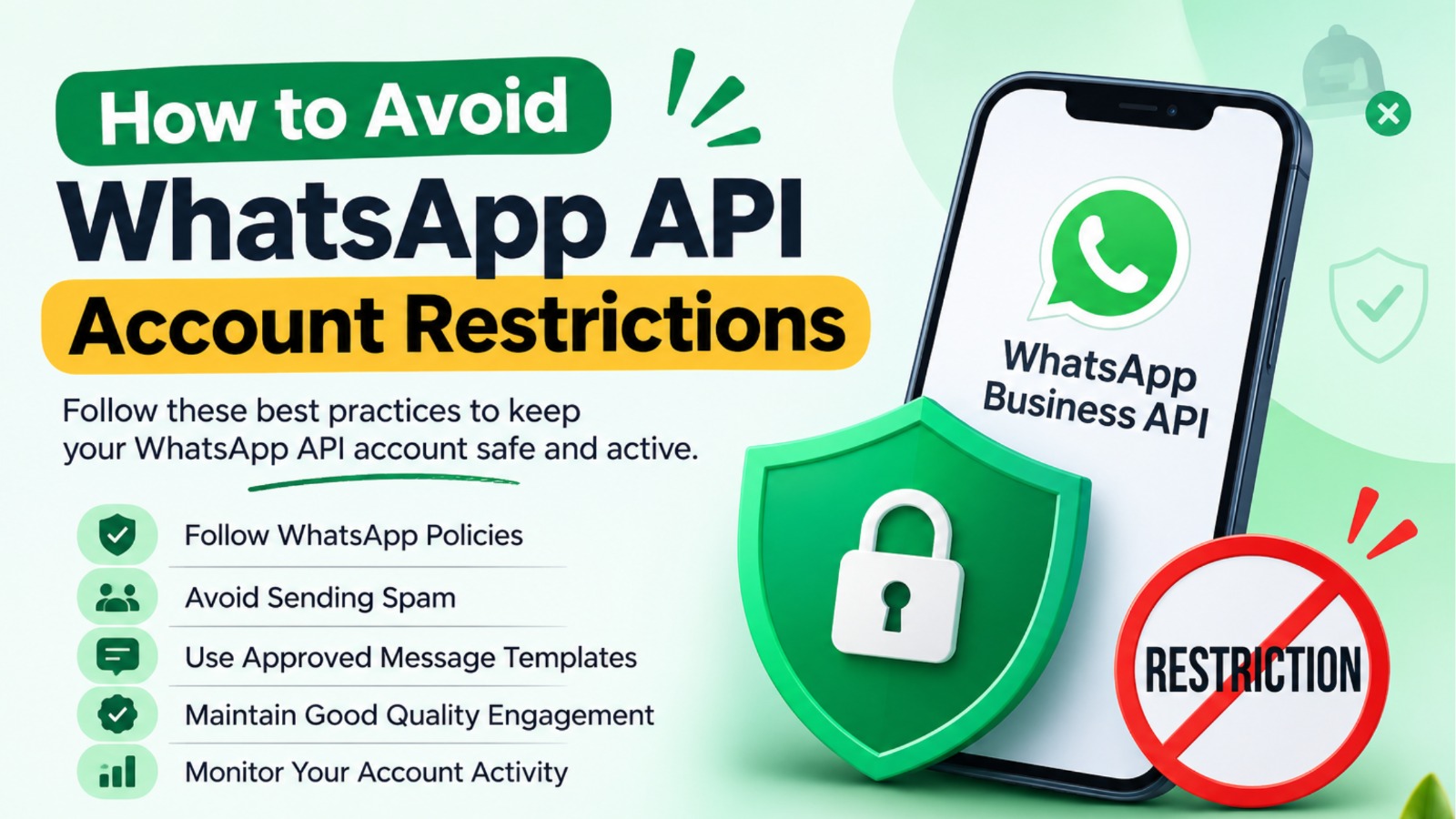
15 Best Practices to Avoid WhatsApp API Account Restrictions
Preventing restrictions requires a consistent approach. Businesses should focus on permission, message quality, customer experience and account monitoring.
Here are 15 practical steps every business should follow.
1. Always Collect Customer Opt-In
Customer permission should be the foundation of every WhatsApp marketing campaign.
Before sending business-initiated messages, make sure customers have provided their phone number and given permission to receive communication from your business.
You can collect permission through several channels, such as:
- Website enquiry forms
- Website subscription forms
- Checkout pages
- In-store registration forms
- QR codes
- Landing pages
- WhatsApp click-to-chat campaigns
For example, an online clothing store can add a checkbox to its checkout page:
“I agree to receive order updates and relevant offers from [Business Name] on WhatsApp.”
However, the consent should clearly explain the business identity and the types of communication customers can expect.
Additionally, businesses should maintain appropriate records of how and when customers provided their permission.
Most importantly, provide customers with a simple way to opt out of future communication.
2. Use an Official WhatsApp Business API Provider
Choosing the right WhatsApp API provider is another important step.
Unofficial bulk messaging tools may expose businesses to unnecessary risks. In contrast, an official WhatsApp Business Platform integration provides access to supported messaging features and approved workflows.
Before choosing a provider, check whether it offers:
- Official WhatsApp Business Platform integration
- Message template management
- Campaign reporting
- Customer conversation management
- Automation and chatbot features
- Team inbox functionality
- Opt-out management
- Technical support
For example, Campaign Plus provides WhatsApp automation, chatbot solutions and business communication features that can help companies manage customer conversations.
Furthermore, businesses can use automation to organise enquiries, manage follow-ups and improve response times.
However, remember that no provider can guarantee that an account will never face restrictions. Every business must still follow WhatsApp policies.
3. Follow the 24-Hour Customer Service Window
The 24-hour customer service window is an important part of WhatsApp Business Platform messaging.
When a customer sends a message to your business, a 24-hour service window opens or resets. During this period, businesses can generally reply using free-form messages.
Once the window closes, businesses must use an approved message template to initiate another conversation.
For example:
A customer asks about the price of a product at 11 AM on Monday. Your team can respond naturally during the applicable 24-hour window.
However, if your business wants to contact that customer after the window closes, it must use an approved template that follows the relevant requirements.
Therefore, businesses should train their teams to understand when free-form replies are allowed and when approved templates are required.
4. Send Relevant and Personalised Messages
Customers are more likely to engage with messages that match their interests.
Instead of sending the same offer to your entire contact list, divide your audience into smaller groups.
For example:
| Business Type | Relevant WhatsApp Message |
|---|---|
| Clothing store | New collection announcements |
| Online store | Order and delivery updates |
| Beauty salon | Appointment reminders |
| Education institute | Course information |
| Real estate company | Property updates based on enquiries |
This approach makes communication more useful.
Moreover, customers are less likely to consider messages irrelevant when businesses understand their interests.
Consequently, audience segmentation can improve engagement and create better customer experiences.
5. Maintain High-Quality Message Templates
Message templates help businesses start conversations outside the 24-hour customer service window.
However, approval does not mean a template will remain suitable forever. Businesses should monitor template performance and make improvements when customers respond negatively.
Follow these practices:
- Write clear and accurate messages.
- Use the correct template category.
- Avoid misleading promotional claims.
- Personalise messages where appropriate.
- Include relevant information.
- Avoid excessive promotional language.
- Review rejected, paused or low-quality templates.
For instance, instead of writing:
“LIMITED OFFER!!! BUY NOW!!! BEST DEAL!!!”
Use a more informative message:
“Hello , our new collection is now available. Explore the latest designs and find options that match your preferences.”
The second message communicates the offer more clearly and professionally.
In addition, businesses should review templates regularly to ensure that the content matches the actual purpose of each campaign.
6. Avoid Sudden Increases in Messaging Volume
Sending a very large number of messages without a proper strategy can create delivery and quality problems.
Businesses should understand their current messaging limits and follow Meta’s rules when scaling campaigns.
For example, a company should not move from occasional communication to a very large campaign overnight without checking its account status, customer consent and messaging performance.
Instead, develop a controlled campaign plan.
First, identify the relevant audience. Next, review the account status and messaging limits. Finally, increase campaign activity only when the account and messaging quality support it.
Remember, gradual sending is not a way to bypass platform limits. Businesses must always follow the limits and instructions shown in WhatsApp Manager.
7. Segment Your Contact List
Contact segmentation helps businesses send the right message to the right audience.
For example, an e-commerce business can create separate customer groups:
- New customers
- Repeat customers
- Customers who purchased recently
- Customers interested in a specific category
- Customers who requested product information
- Customers who subscribed to promotional updates
As a result, businesses can create more relevant campaigns instead of sending every message to every contact.
Furthermore, segmentation helps marketing teams understand which audience groups respond positively.
For example, customers interested in footwear can receive footwear-related updates instead of promotions for unrelated products.
8. Respect Customer Opt-Out Requests
Customers should have control over the messages they receive.
If someone asks your business to stop sending promotional messages, respect that request promptly.
You can provide clear instructions such as:
“Reply STOP if you no longer wish to receive promotional updates.”
Once a customer opts out, update their communication preferences and exclude them from future messages covered by that request.
Additionally, businesses should respect opt-out requests received through other channels, not only WhatsApp.
Most importantly, do not repeatedly contact customers who have clearly asked your business to stop.
9. Keep Your Business Profile Accurate
Your WhatsApp Business profile should clearly represent your company.
Include accurate information such as:
- Business name
- Business description
- Website
- Contact details
- Business email
- Address, where relevant
- Customer support information
Moreover, avoid misleading business names, outdated links or information that does not match your actual services.
An accurate profile helps customers understand who is contacting them.
As a result, businesses can create a more professional and trustworthy communication experience.
10. Avoid Misleading Offers and False Claims
Promotional messages should provide accurate information.
For example, do not advertise a discount that is unavailable or claim that a product has limited stock when it does not.
Similarly, avoid making unrealistic promises about results, income, discounts or product benefits.
Instead, communicate the actual offer, conditions and validity period.
Furthermore, make sure that your website, advertisements and WhatsApp messages communicate consistent information.
This practice helps build customer trust and reduces unnecessary complaints.
11. Monitor Account Quality Regularly
Businesses should not wait until a restriction appears before reviewing their messaging performance.
Instead, monitor relevant information through WhatsApp Manager and connected business tools.
Pay attention to:
- Phone number status
- Messaging limits
- Template status
- Quality indicators where available
- Campaign delivery
- Customer responses
- Blocks and reports
- Account notifications
If you notice a negative change, investigate recent campaigns and identify possible reasons.
For example, if customers are blocking your business after a promotional campaign, review the audience, message frequency and relevance before sending another campaign.
In addition, regular monitoring helps businesses identify potential problems early.
12. Avoid Repeated Messages to the Same Customers
Sending the same promotion multiple times can frustrate customers.
For instance, imagine a customer receives the same discount message every morning for five consecutive days. Even if the offer is genuine, repeated communication may feel intrusive.
Instead, create a reasonable campaign calendar.
You can also exclude customers who have already purchased, responded or shown no interest, depending on the campaign’s purpose and their communication preferences.
Consequently, customers receive more meaningful communication rather than repeated promotional messages.
13. Train Your Sales and Support Teams
Account safety is not only a marketing responsibility.
Sales representatives, support agents and campaign managers also influence customer experience.
Therefore, train your team to:
- Follow approved communication processes.
- Understand the 24-hour service window.
- Use approved templates correctly.
- Avoid misleading statements.
- Respect customer preferences.
- Escalate complex queries to human agents.
- Record opt-out requests.
- Avoid unauthorised bulk messaging tools.
Moreover, review automation workflows regularly to make sure they provide a clear path to human support.
When everyone follows the same communication guidelines, businesses can reduce operational mistakes.
14. Review Campaign Performance Before Scaling
A successful WhatsApp campaign should not be measured only by the number of messages sent.
Instead, businesses should analyse customer engagement and campaign outcomes.
Track useful metrics such as:
- Messages delivered
- Messages read, where available
- Customer replies
- Leads generated
- Sales conversions
- Opt-out requests
- Customer complaints
For example, if a campaign generates many deliveries but very few meaningful responses, review the audience and message content.
Similarly, if customers frequently opt out, reconsider the campaign frequency and value.
As a result, businesses can improve future campaigns while maintaining a better customer experience.
15. Stay Updated With WhatsApp Business Policies
WhatsApp Business policies and platform features can change.
Therefore, businesses should review official policy updates and product documentation regularly.
This is especially important when introducing new automation features, promotional campaigns or messaging workflows.
For example, a business launching a new automated customer journey should check whether its templates, consent process and message categories follow current requirements.
Ultimately, staying informed helps companies maintain responsible communication practices.
WhatsApp API Account Restrictions: Common Mistakes vs Best Practices
Understanding the difference between risky behaviour and responsible communication can help businesses improve their messaging strategy.
| Common Mistake | Recommended Practice |
|---|---|
| Sending messages without permission | Collect clear customer opt-in |
| Purchasing contact databases | Build an audience through genuine enquiries |
| Sending daily promotional messages | Create a balanced campaign schedule |
| Using unofficial bulk tools | Use an official WhatsApp integration |
| Misclassifying message templates | Select the correct template category |
| Ignoring opt-out requests | Update customer preferences promptly |
| Sending irrelevant offers | Segment contacts by interest |
| Ignoring account notifications | Monitor WhatsApp Manager regularly |
| Scaling campaigns without review | Check quality and limits before scaling |
The main objective is simple: make every customer interaction expected, relevant and useful.
Moreover, businesses should remember that responsible communication is not just about avoiding restrictions. It also helps build long-term customer relationships.
What Should You Do If Your WhatsApp API Account Gets Restricted?
Even businesses that follow good practices may sometimes face account issues.
If this happens, avoid making random changes or repeatedly sending campaigns. Instead, follow a structured process.
Step 1: Identify the Restriction
First, check the notification or warning displayed in your WhatsApp Manager or Meta Business account.
Understand whether the issue affects:
- A particular phone number
- Message templates
- Marketing messages
- Messaging limits
- The WhatsApp Business Account
- Access to the platform
Different restrictions require different responses. Therefore, read the notification carefully before taking action.
Step 2: Review Your Recent Messaging Activity
Next, examine the campaigns and workflows that ran before the restriction.
Check whether your business:
- Contacted people without permission
- Sent irrelevant promotional messages
- Used incorrect templates
- Repeatedly contacted the same audience
- Received negative customer feedback
- Used unsupported automation tools
This review can help identify possible causes.
Furthermore, check whether any scheduled campaigns or automated messages continued running during the issue.
Step 3: Stop the Problematic Activity
If you identify a potentially non-compliant campaign or workflow, pause it while you investigate.
Also, review scheduled campaigns and automated sequences to prevent the same activity from continuing.
However, do not attempt to bypass a restriction by moving the same activity to another number or unauthorised tool.
Instead, identify the underlying problem and correct it.
Step 4: Request a Review if Available
If you believe the restriction was applied incorrectly, follow the review or appeal option provided by Meta.
Explain the situation clearly and provide relevant information.
For example, mention the steps your business has taken to review consent, templates and messaging practices.
Avoid submitting misleading explanations or repeated requests without addressing the underlying issue.
The available appeal process depends on the type of account and enforcement action.
Step 5: Improve Your Messaging Practices
Before resuming campaigns, review your consent records, templates, contact lists and automation workflows.
Make sure your team understands the issue and follows the updated process.
Additionally, monitor the account after any restoration of access.
Remember, an appeal does not guarantee that Meta will restore access. Only Meta can make the final decision on its enforcement action.
How Campaign Plus Can Help Businesses Manage WhatsApp Communication
Managing customer conversations manually becomes difficult as a business grows.
For example, an online store may receive hundreds of enquiries about product availability, prices, delivery and order status. Without an organised communication process, the team may struggle to respond quickly.
This is where WhatsApp automation can support business operations.
Campaign Plus provides WhatsApp automation, chatbot and business communication solutions that can help businesses organise conversations and manage customer interactions.
Depending on the features configured, businesses can use such tools to:
- Manage customer enquiries.
- Automate frequently asked questions.
- Organise incoming leads.
- Send approved template messages.
- Manage customer conversations through a team inbox.
- Create follow-up workflows.
- Support customer service operations.
- Monitor campaign performance.
Moreover, automation can help teams respond consistently and reduce repetitive manual work.
However, automation should always follow WhatsApp’s policies. Businesses must obtain appropriate permission, use approved templates where required and provide clear human support options.
Want to improve your WhatsApp communication process? Explore Campaign Plus to understand how WhatsApp automation can support your business operations.
How Step4Growth Can Support Your Digital Marketing Strategy
WhatsApp marketing works best when it connects with a broader digital marketing strategy.
For example, businesses can attract potential customers through search engines, social media and paid advertising. They can then use WhatsApp to respond to enquiries and manage customer conversations.
Step4Growth supports businesses with digital marketing activities that can help improve online visibility and lead generation.
A coordinated strategy may include:
- Search engine optimisation
- Social media marketing
- Meta advertising
- Website optimisation
- Lead generation campaigns
- Content marketing
- Conversion-focused marketing
Furthermore, these activities can work together to create a more organised customer journey.
For instance, a potential customer may discover a business through a Google search, visit its website and submit an enquiry. The business can then use an appropriate WhatsApp communication workflow to respond and provide relevant information.
Consequently, combining digital marketing with responsible WhatsApp communication can help businesses manage customer interactions more effectively.
Trending Bulb also shares practical insights on digital marketing, WhatsApp Business solutions and customer communication strategies to help businesses understand changing marketing trends.
Practical Example: How a Retail Business Can Avoid WhatsApp API Restrictions
Consider an online clothing store that wants to promote a new festive collection.
Instead of sending the same promotional message to every phone number in its database, the business follows a structured approach.
Step 1: Collect Permission
First, the store collects customer consent through its website and checkout process.
It clearly explains that customers may receive relevant promotional updates through WhatsApp.
Step 2: Segment the Audience
Next, the marketing team creates separate groups for customers interested in ethnic wear, western wear and accessories.
As a result, each customer group can receive more relevant communication.
Step 3: Prepare an Approved Template
The marketing team creates an accurate promotional template and submits it for approval.
Moreover, the message clearly explains the offer without making misleading claims.
Step 4: Send Relevant Communication
After approval, the store sends the campaign to customers who have agreed to receive the relevant updates.
However, it also checks the applicable messaging limits and campaign requirements.
Step 5: Monitor Responses
The team reviews delivery information, customer replies and opt-out requests.
In addition, it checks whether customers are responding positively to the campaign.
Step 6: Improve Future Campaigns
Finally, the store uses customer feedback to adjust its audience selection and messaging frequency.
This approach makes WhatsApp marketing more organised and customer-focused.
Although no process can guarantee that restrictions will never occur, following the platform’s requirements can reduce avoidable risks.
WhatsApp API Account Restriction Prevention Checklist
Before launching your next WhatsApp campaign, review this checklist.
- We have collected appropriate customer permission.
- Our business profile contains accurate information.
- We use an official WhatsApp Business Platform integration.
- Our message templates follow the correct requirements.
- Our campaigns target relevant audiences.
- We follow the 24-hour customer service window.
- We respect opt-out requests.
- We avoid misleading promotional claims.
- We monitor account and template status.
- Our automation provides a human support option.
- Our team understands WhatsApp messaging policies.
- We review campaign performance before scaling.
By completing this checklist regularly, businesses can identify potential problems before launching campaigns.
Furthermore, it helps marketing and support teams follow a consistent communication process.
Frequently Asked Questions (FAQs)
1. Why does WhatsApp restrict business API accounts?
WhatsApp may restrict business accounts for policy violations, unsolicited messaging, negative customer feedback, misleading communication, misuse of templates or other activities that create a poor user experience.
Therefore, businesses should review their messaging practices and follow the latest platform policies.
2. How can I avoid WhatsApp API account restrictions?
Collect customer opt-in, use an official platform integration, send relevant messages, follow template requirements, respect opt-out requests and monitor account quality regularly.
Additionally, avoid unofficial bulk messaging tools and misleading promotional campaigns.
3. Can using an official WhatsApp API provider prevent restrictions?
An official provider can help businesses access supported WhatsApp features and manage communication.
However, it cannot guarantee protection from restrictions. Businesses remain responsible for following Meta’s policies.
4. Can I send bulk messages through WhatsApp API?
Businesses can use supported WhatsApp Business Platform messaging features to communicate with customers at scale.
However, they must follow the applicable consent, template, messaging-limit and policy requirements.
5. What happens if customers report my WhatsApp business number?
Customer reports and blocks can contribute to negative feedback signals.
As a result, repeated negative feedback may affect messaging quality and lead to restrictions or other enforcement actions.
6. Can I send WhatsApp messages after the 24-hour window?
Yes. Businesses can generally initiate conversations outside the customer service window using approved message templates, provided they follow the relevant messaging and consent requirements.
7. Can a WhatsApp API provider remove account restrictions?
No provider can independently reverse Meta’s enforcement decision.
Instead, businesses must use the review or appeal process available through Meta.
8. How often should businesses monitor WhatsApp account quality?
Businesses should review their account status regularly.
In particular, they should pay attention after large campaigns, changes in messaging activity or negative customer feedback.
9. Is WhatsApp automation safe for business communication?
Automation can support business communication when it uses authorised integrations and follows WhatsApp policies.
Moreover, businesses should provide clear ways for customers to reach human support when necessary.
10. What should I do if my WhatsApp Business Account is restricted?
Check the restriction notification, review recent messaging activity, stop any problematic workflows and request a review if the option is available.
Finally, follow Meta’s instructions before resuming affected activities.
Conclusion
WhatsApp Business API can help companies improve customer communication, manage enquiries and support marketing activities.
However, businesses must use the platform responsibly to maintain a positive customer experience.
The most effective way to reduce the risk of WhatsApp API account restrictions is to focus on customer permission, relevant communication, approved templates and regular account monitoring.
Moreover, businesses should avoid unofficial bulk messaging tools, misleading offers and excessive promotional campaigns.
With the right strategy, tools and processes, companies can build more reliable WhatsApp communication workflows.
Campaign Plus can help businesses organise WhatsApp automation and customer conversations, while Step4Growth can support broader digital marketing and lead generation efforts. Meanwhile, Trending Bulb continues to share insights that help businesses understand digital marketing and business communication.
Build better customer relationships with responsible WhatsApp marketing. Focus on quality, not just message volume.